Blog · Keyboards
Adobe Releases Free Fonts for iOS, TidBITS Reports
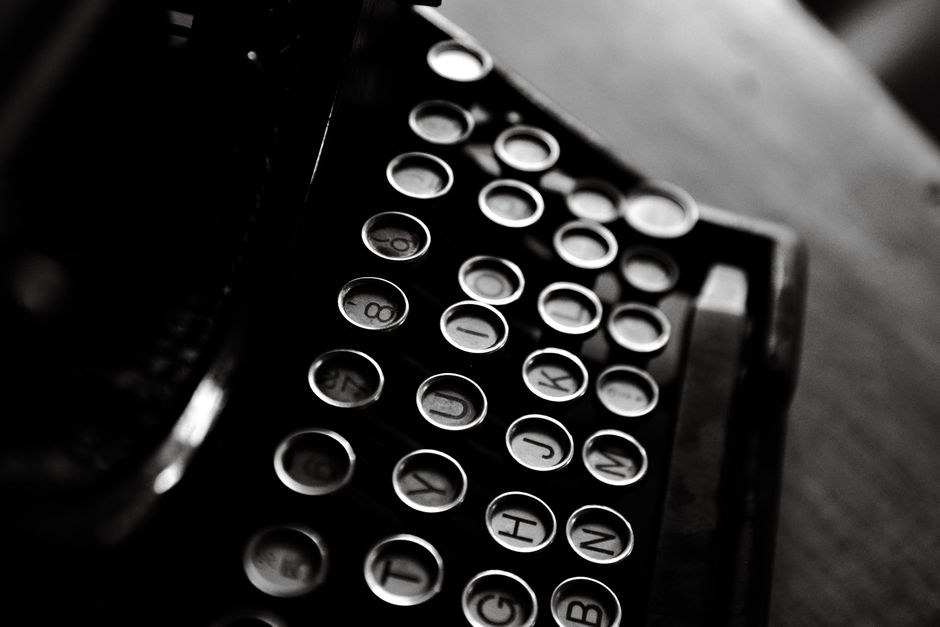
Adobe shipped a collection of free fonts for iOS, and TidBITS covered the release as part of its ongoing coverage of Apple's font-management tools. The lettering installs through Apple's standard system framework, which means it can show up anywhere the operating system lets an app request a custom style — not only inside Adobe's own software.
That distinction matters more than the release itself. iOS has let outside developers register typefaces system-wide for years, and font-installer apps have used that door to ship free and paid families ever since it opened. Adobe joining that list with a no-cost option changes who appears in the Fonts list inside Settings, not how the list works.
We spend our days thinking about text input, so a free type drop reads differently to us than it would to a designer. A keyboard does not swap glyphs on its own. A system font and a keyboard sit on separate layers of the phone, and mixing them up is the most common misunderstanding we hear from people who just installed their first custom style.
How Do the New Fonts Get Onto an iPhone?
Adobe's library installs the way any iOS font package does: a font-installer app registers the files with Apple's Fonts framework, then a confirmation step in Settings actually activates each family. TidBITS frames the release in that context — free lettering riding an install path Apple already built, rather than a new mechanism arriving alongside it.
Where Do Installed Typefaces Actually Show Up?
Once a style is active, it appears in the font picker of any app that calls Apple's text-style APIs correctly. Notes, Pages, and a long list of third-party writing and design apps qualify. Messages and most system chat surfaces do not, because they render text in a fixed house face by design. That is the detail that trips people up: turning on a typeface does not mean every app on the phone suddenly offers it.
Can a Custom Keyboard Type in These Styles?
No, and this is the part that lands closest to our own work. A keyboard extension sends characters to whatever text field currently has focus; it has no control over how that field renders those characters afterward. The style a message displays in is set by the receiving app, not by the keyboard that typed it. So a free Adobe family can sit installed and completely unused if the apps someone actually chats in never ask for it. When people want different-looking text in a conversation, they usually reach for styled Unicode characters built into a keyboard instead, because that trick travels inside the text itself rather than depending on the other app's font settings.
Why Give Away Type Instead of Selling It?
TidBITS does not frame the release as a pricing experiment, and we are not going to guess at Adobe's reasoning beyond what got reported. What we can say from building keyboard software is that a free, well-supported type library lowers the bar for anyone making a writing or design app that wants decent lettering without a licensing conversation first. That is a quieter kind of value than a flashy new feature, but it is the kind that shows up in reviews for the apps that use it well.
What Should Keyboard Builders Take From This?
The lesson is not really about fonts. It is a reminder that the layers of iOS text — the input method, the storage, the rendering, and the display — are separate systems that happen to cooperate smoothly most of the time. When something like a free type library ships, the useful question is not what it looks like but which layer it touches. Locating a feature in that stack before reacting to it is most of the job on our end, and it is the same habit that keeps us from promising a keyboard can do something only the host app actually controls.
Quick facts
- Adobe released a set of free fonts for iOS, per TidBITS.
- New type installs through Apple's standard Fonts framework and needs a confirmation step in Settings before it activates.
- Only apps that call Apple's text-style APIs will offer installed fonts in their pickers; Messages is not one of them.
- Keyboard extensions insert characters only — they do not control which font a host app uses to render them.
More from the blog
- What Did Apple Change About App Store Fees for 'Mini Apps'?
- Corona Capital 2026 Lineup and Ticket Details Are Rolling Out Through Official Channels
- Picking a Sleep Tracker in 2026 Means Choosing Between Rings, Earbuds, and Bed Sensors
- 13+: The New Rating Floor for Apps With Social Feeds, Starting September
Written by Smorgi Apps at Smorgi Apps. We do not invent download counts or ratings. If a number appears here, it came from App Store Connect or the live listing.